Best password managers 2026

In an era of data breaches and account hacks, using a reliable password manager isn’t just smart – it’s essential. The right tool not only protects your logins with advanced encryption but also streamlines your digital life with automatic filling and password syncing across devices.
That said, choosing the best password manager in 2026 can be overwhelming – there are dozens of tools promising airtight security and convenience. To help you cut through the noise, I’ve shortlisted and carefully tested today’s top password managers, analyzing their encryption strength, user experience, compatibility across platforms, and overall value for money.
Whether you’re looking for a budget-friendly option, a business-ready vault, or the most feature-rich password manager out there, this guide breaks down the best password manager choices for 2026 to help you find one that really fits your needs.
🏷️ LIMITED OFFER: 53% OFF NordPass + 2 months free + 3 free months of NordVPN 🏷️ 🏷️
Top 5 password managers in 2026
- NordPass – overall best password manager
- 1Password – feature-packed, customizable password manager
- Keeper – flexible password manager for business use
- Roboform – reliable password manager with affordable plans
- Proton Pass – privacy-focused password manager
How to get a password manager
Getting started with a password manager in 2026 is quick and painless, and it can instantly make your online accounts much harder to hack. To set everything up and start using secure, unique logins on all your devices, follow these simple steps:
- Choose a trusted password manager. I recommend NordPass, now 53% off.
- Install the app and browser extension on every device you use.
- Create a strong master password and enable multi-factor authentication.
- Add a trusted contact and set up emergency access and recovery options.
- Import existing logins and use the manager to generate and autofill strong passwords.
Top password managers: detailed list
I worked with the VPNpro research team to put 30 popular password managers through hands-on testing, narrowing them down to the 7 best options for 2026. I assessed every service for security, essential features, and overall value, and then used each in everyday workflows to see how it actually performs in real-life use.
Top 1. NordPass – top-ranked password manager for 2026


-
Strong XChaCha20 and zero-knowledge security
-
Smooth autofill and cross-device syncing
-
Free plan and affordable premium pricing
-
No dedicated Safari browser extension
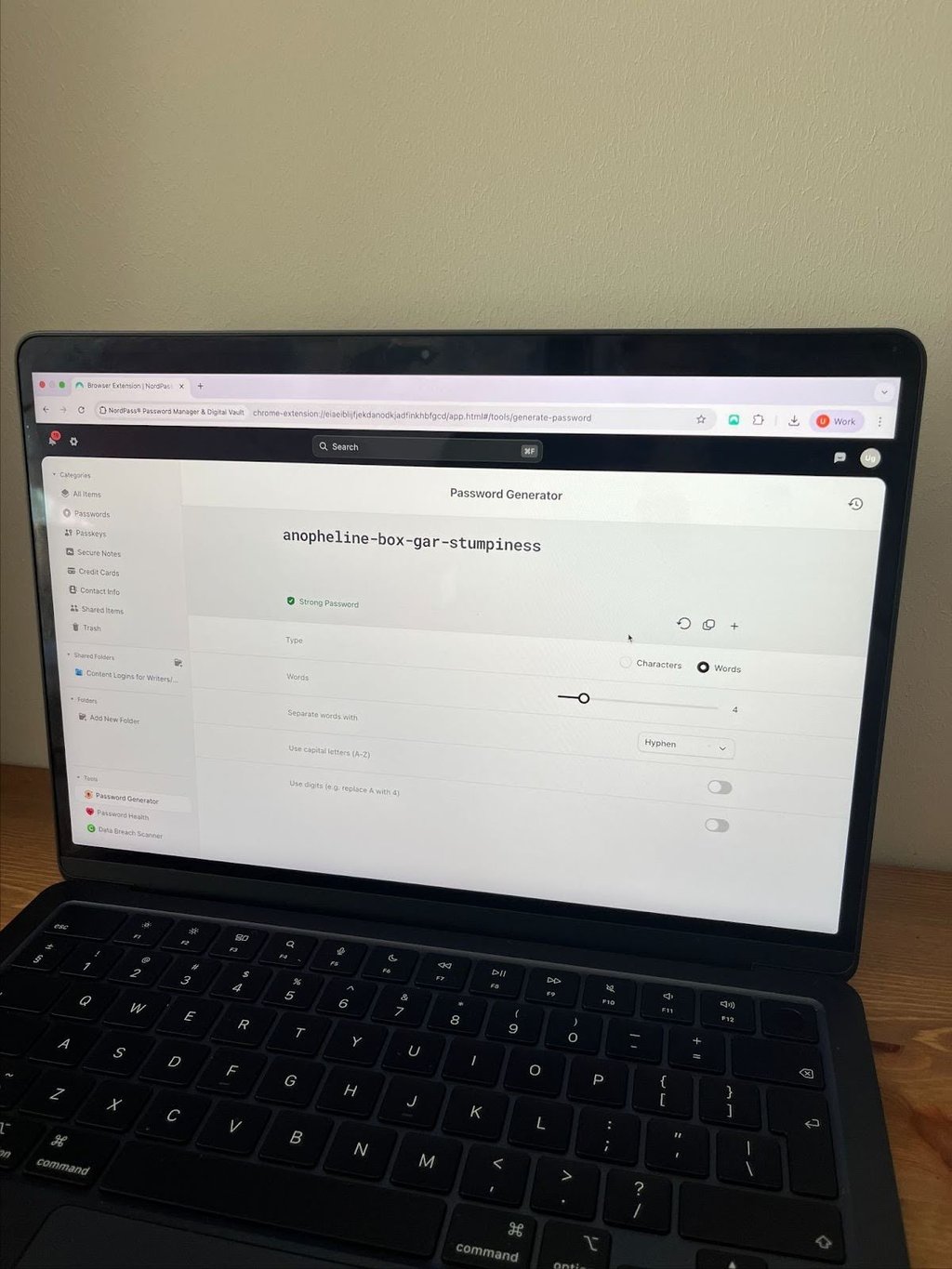
NordPass takes the top spot among password managers in 2026 thanks to its strong security stack, clean interface, and reliable performance on both desktop and mobile. It uses the modern XChaCha20 encryption algorithm together with a strict zero-knowledge setup. This means only you can decrypt the contents of your vault – even the provider cannot see your passwords. On top of that, NordPass supports multi-factor authentication and biometric unlock, which makes it easy to secure your account without slowing down your logins.
Day-to-day use is very smooth: NordPass can autofill logins, personal details, and payment information, so you can sign in or check out online with just a click instead of typing everything manually. It syncs your encrypted vault across devices and has extensions for major browsers, making it a strong fit if you regularly switch between your phone and computer. You also get helpful extras like a password generator, password health reports, and data breach monitoring.
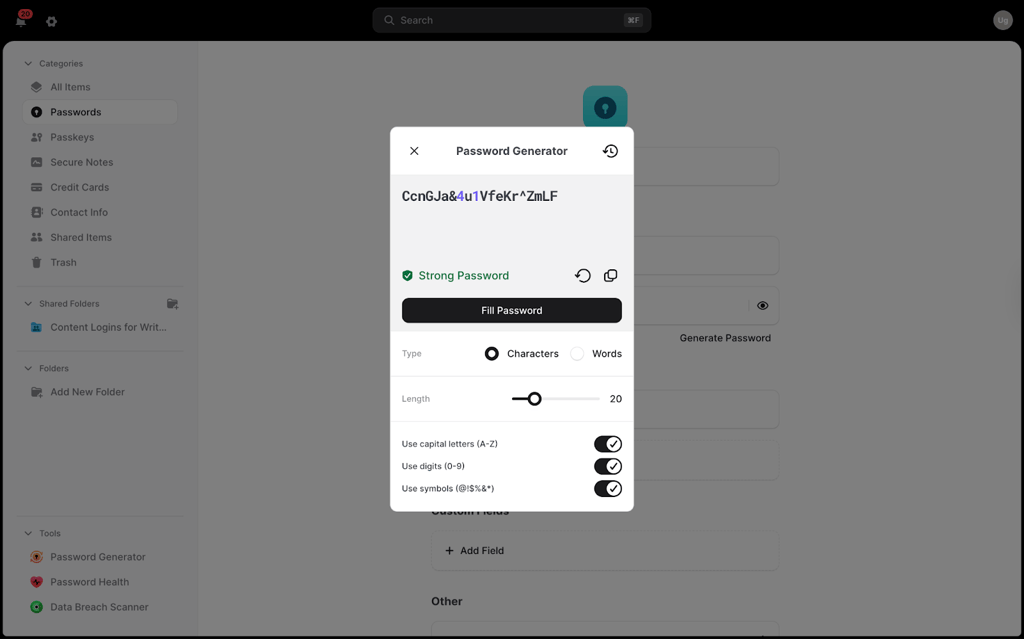
From all providers I tested hands-on, NordPass is the best overall password manager, offering a free plan with unlimited passwords and top-tier security. Premium plans start at $1.38/month, packing excellent value with extra features. The Family plan covers 6 accounts for just $2.58/month, making it an easy way to protect everyone at home. You can also try NordPass risk-free with its 30-day money-back guarantee without even entering a credit card.
| Feature | Free | Premium | Family |
| Price | $0.00 | $1.38/month | $2.58/month |
| User accounts | 1 | 1 | 6 |
| Unlimited passwords | ✅ Yes | ✅ Yes | ✅ Yes |
| Password generator | ✅ Yes | ✅ Yes | ✅ Yes |
| Secure notes | ✅ Yes | ✅ Yes | ✅ Yes |
| Sync across devices | ✅ Yes | ✅ Yes | ✅ Yes |
| Emergency access | ❌ No | ✅ Yes | ✅ Yes |
| Secure sharing | ❌ No | ✅ Yes | ✅ Yes |
| Trusted Contacts | ❌ No | ✅ Yes | ✅ Yes |
| Password Health | ❌ No | ✅ Yes | ✅ Yes |
| Data Breach Scanner | ❌ No | ✅ Yes | ✅ Yes |
| Manage plan members | ❌ No | ❌ No | ✅ Yes |
For more insights on NordPass, read our NordPass review.
Top 2. 1Password – excellent password manager with strong extra features

-
Extras like Travel Mode and Privacy Cards
-
Intuitive interface with reliable autofill
-
Watchtower for security monitoring
-
No free version
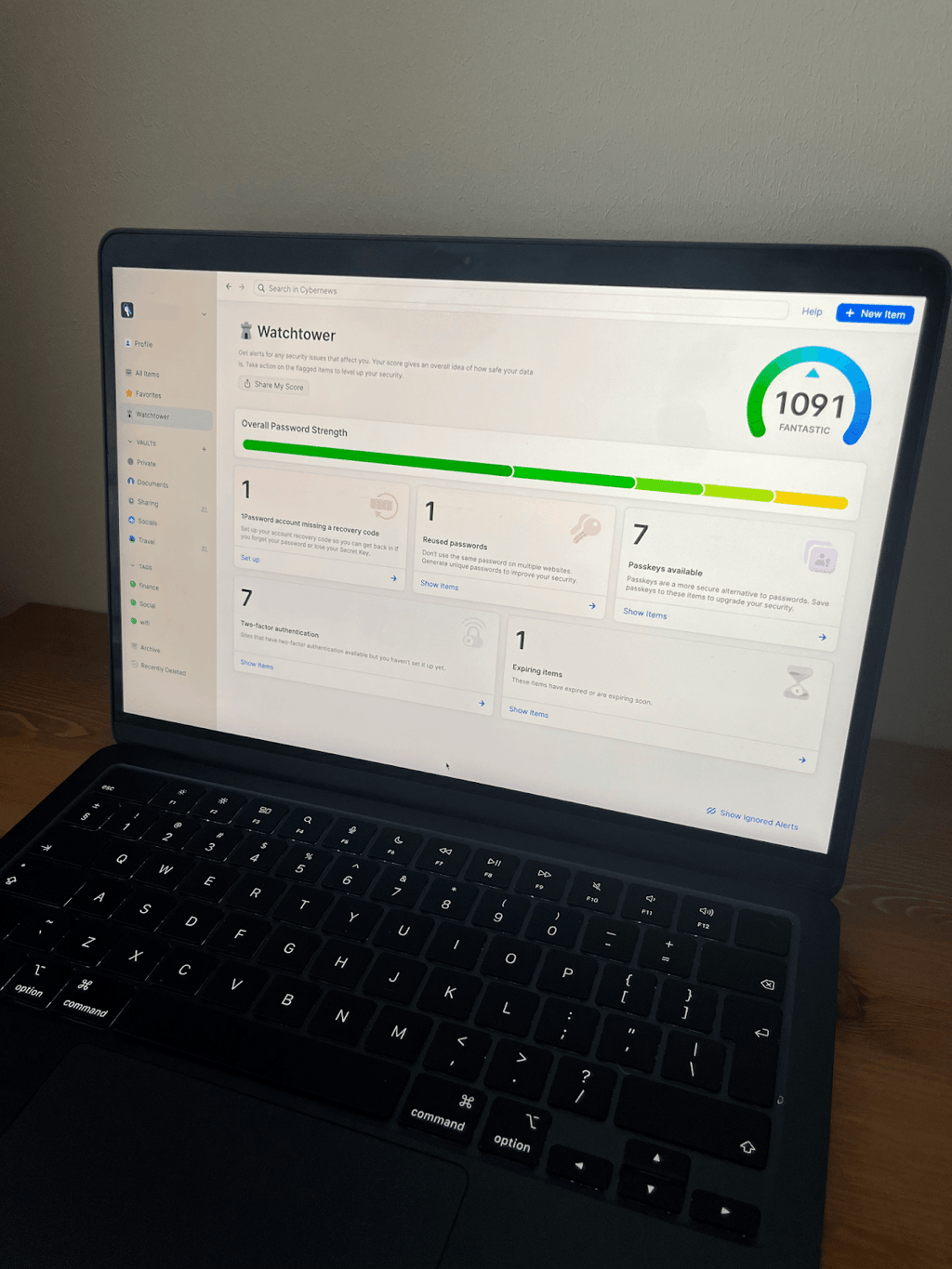
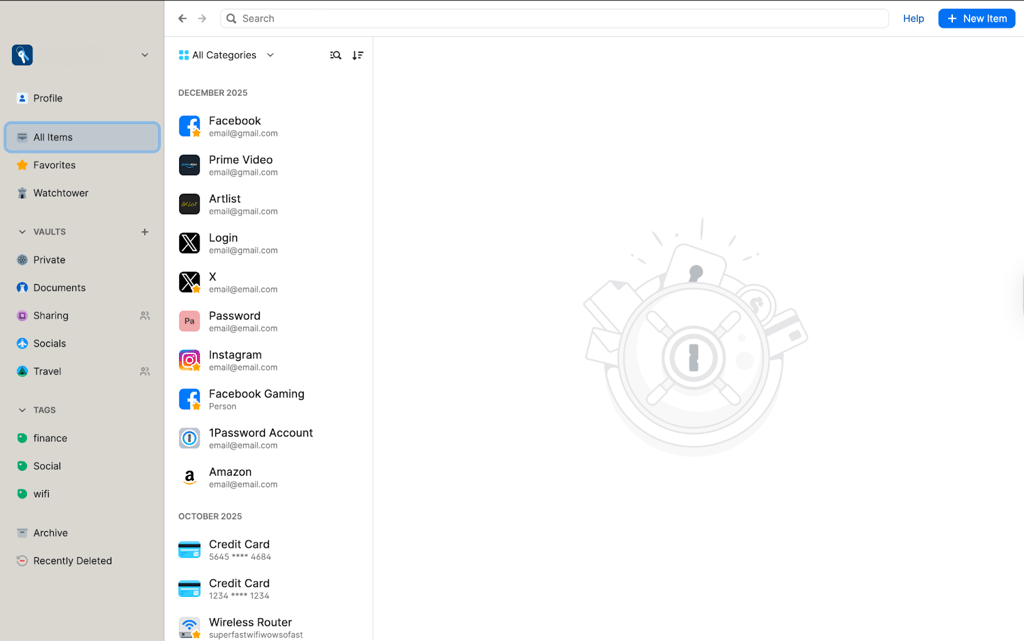
1Password stands out as one of the top premium password managers in 2026, earning its spot with powerful extras like Travel Mode, Privacy Cards, and the unique Secret Key that give you exceptional control over your security. Widely recognized for its robust protection, 1Password is backed by AES-256 encryption and a strict zero-knowledge policy ensuring only you can access your data. The Watchtower dashboard is a standout, monitoring password health, identifying accounts without 2FA, and alerting you to breached credentials for proactive fixes.
1Password’s clean, minimalistic interface keeps things simple and beginner-friendly, with quick setup, seamless autofill for logins and forms, and effortless syncing across unlimited devices. Travel Mode lets you temporarily hide vaults from your phone or laptop when traveling in risky areas (data stays safe in the cloud), while Privacy Cards generate masked virtual numbers for online shopping – you can pause them instantly if a site seems shady.
1Password is a strong password manager choice packed with useful extras. Pricing begins at $3.99/month for individuals or $4.99/month for families (covering 5 users with admin controls), plus a 14-day free trial. The recent price increase, together with the lack of a free tier or money-back guarantee, are 1Password’s biggest letdowns, so it’s smart to check out 1Password alternatives for 2026.
| Feature | Individual | Families |
| Price |
$3.99/month
|
$4.99/month
|
| Users | 1 | 5 |
| Unlimited devices | ✅ Yes | ✅ Yes |
| Unlimited passwords | ✅ Yes | ✅ Yes |
| Two-factor auth | ✅ Yes | ✅ Yes |
| Watchtower | ✅ Yes | ✅ Yes |
| Account recovery | ❌ No | ✅ Yes |
| Document storage | 1GB/user | 1GB/user |
| Admin controls | ❌ No | ✅ Yes |
| Activity logs | ❌ No | ❌ No |
For more insights on 1Password, read our 1Password review.
Top 3. Keeper – robust password manager with flexible controls

-
Sleek app design
-
Business-oriented features
-
Access controls and Secrets Manager for teams
-
BreachWatch is a paid add-on
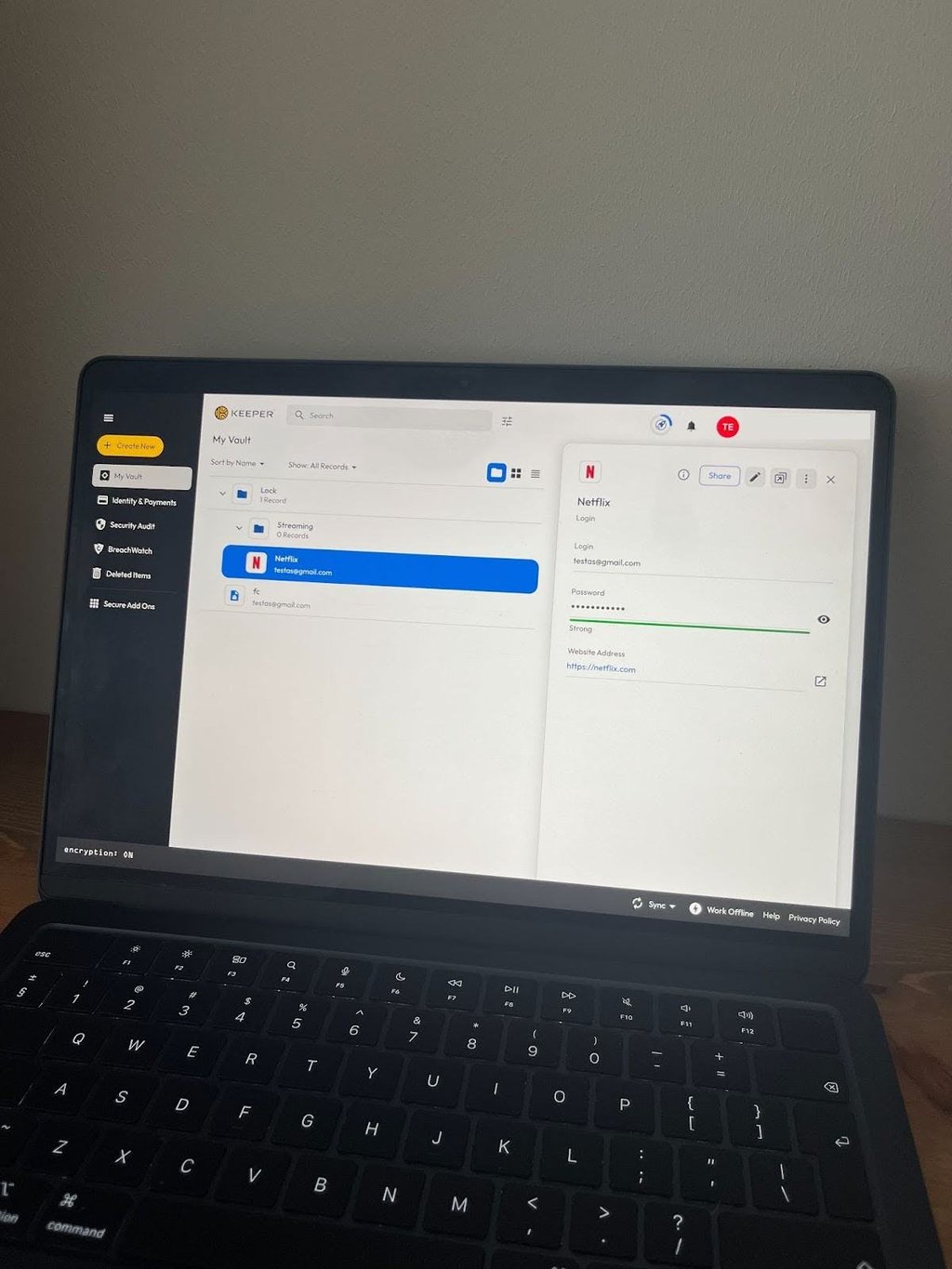
Keeper stands out as a versatile password manager in 2026, particularly for businesses with advanced needs. Access Controls let admins grant or revoke permissions for employees and guests, and a Secrets Manager to securely store sensitive company data while tracking who accessed what for compliance audits. Self-hosting via Keeper Connection Manager on your own Linux/Docker server gives enterprises full control over their vaults and provisioning. It secures everything with AES-256 encryption and a zero-knowledge approach, ensuring only authorized users can decrypt data, while personal plans deliver reliable autofill, syncing, and everyday protection.
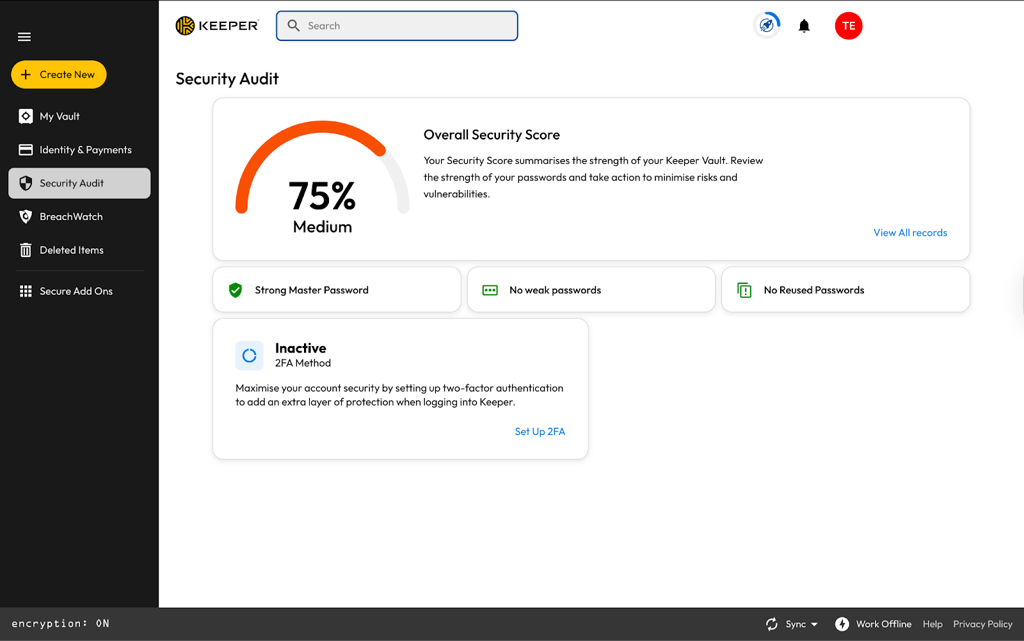
Security Audit monitors password health by flagging weak or reused credentials, and the optional BreachWatch add-on scans unlimited emails for data leaks using trusted databases. Apps perform consistently across Windows, Android, macOS, and iOS (with Apple platforms slightly more polished), and setup is straightforward even for non-IT users, thanks to clear documentation.
Keeper is a business-friendly password manager with smart customization tools. Personal plans start at $1.67/month, Family at $3.54/month for 5 users, and Business Starter at $7.00/month with a minimum of 5 users. Business plans also bundle a free Family subscription per employee, boosting value for SMBs. Keeper doesn’t have a 30-day money-back guarantee, but each subscription plan includes an extended 30-day trial.
| Feature | Free | Personal | Family | Business Starter |
| Price | Free |
$1.67/month |
$3.54/month
|
$7.00/month |
| Users | 1 | 1 | 5 | Minimum 5 |
| Unlimited devices | ❌ No | ✅ Yes | ✅ Yes | ✅ Yes |
| Unlimited passwords | ❌ 10 max | ✅ Yes | ✅ Yes | ✅ Yes |
| Two-factor auth | ✅ Yes | ✅ Yes | ✅ Yes | ✅ Yes |
| BreachWatch | ❌ No | Add-on | Add-on | Add-on |
| Security Audit | ❌ No | ✅ Yes | ✅ Yes | ✅ Yes |
| Secure sharing | ❌ No | Items | Items/folders | ✅ Yes |
| Document storage | ❌ No | Add-on | 10GB | ✅ Yes |
| Emergency access | ❌ No | ✅ Yes | ✅ Yes | ✅ Yes |
Top 4. RoboForm – solid password manager with a low price point

-
Competitive pricing
-
Built-in TOTP
-
Reliable security standards
-
Very limited free version
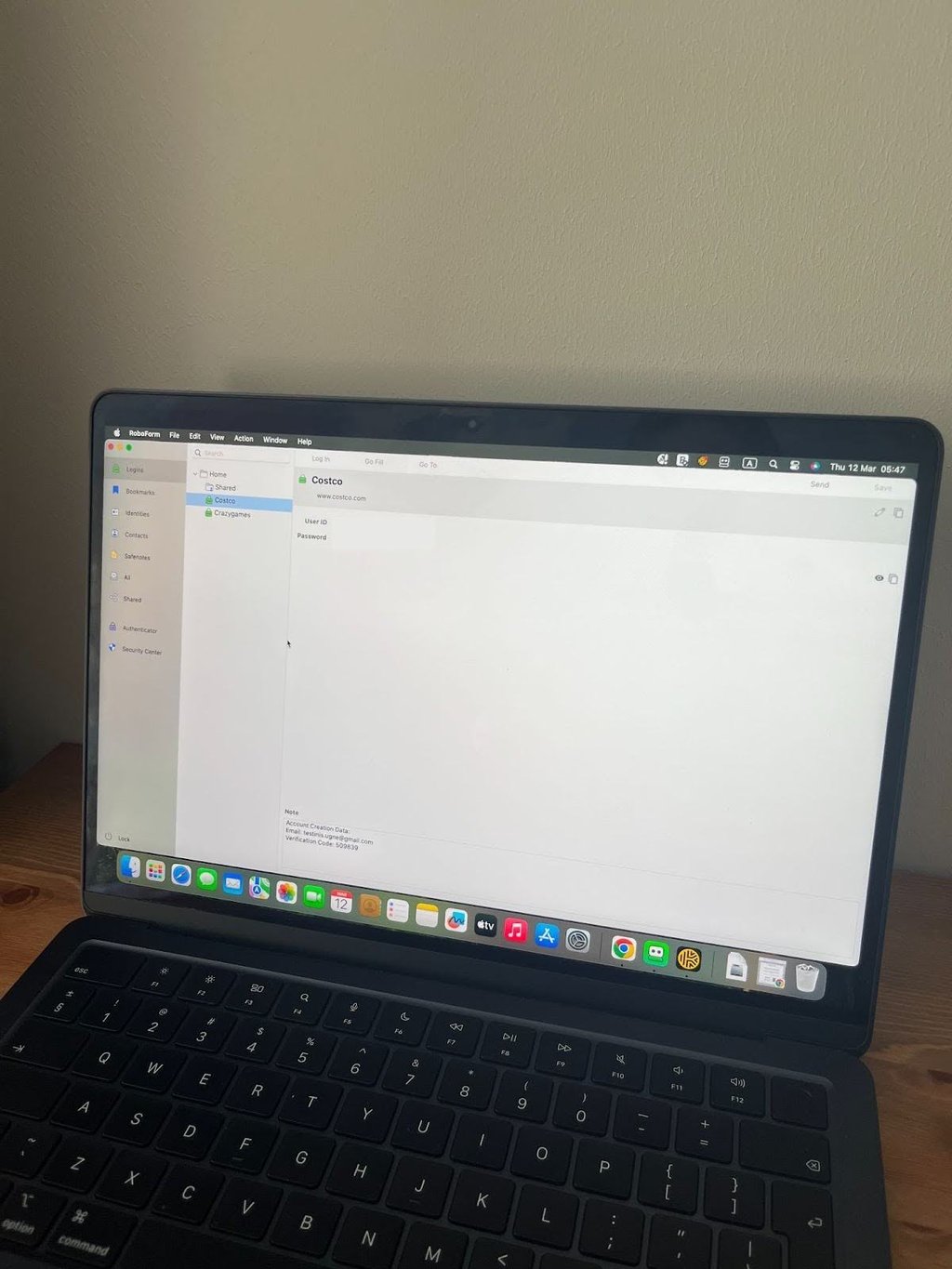
RoboForm delivers reliable password management with a friendly price tag, making it a good option for budget-conscious users who need core features without extras. It uses AES-256 encryption with a zero-knowledge architecture and has passed independent security audits, ensuring your vault stays protected from breaches and brute-force attacks. The Security Center scans for weak, reused, or compromised passwords using the Have I Been Pwned (HIBP) database, while Data Breach Monitoring covers unlimited emails to alert you of leaks before hackers exploit them.
Form-filling is very convenient for online shopping, automatically populating addresses, cards, and details to speed up checkouts across sites. A built-in TOTP authenticator generates 2FA codes without extra apps, supporting passkeys for passwordless logins on compatible services. The interface feels dated and desktop-focused via browser extensions, but it remains straightforward for everyday use with unlimited storage and syncing.
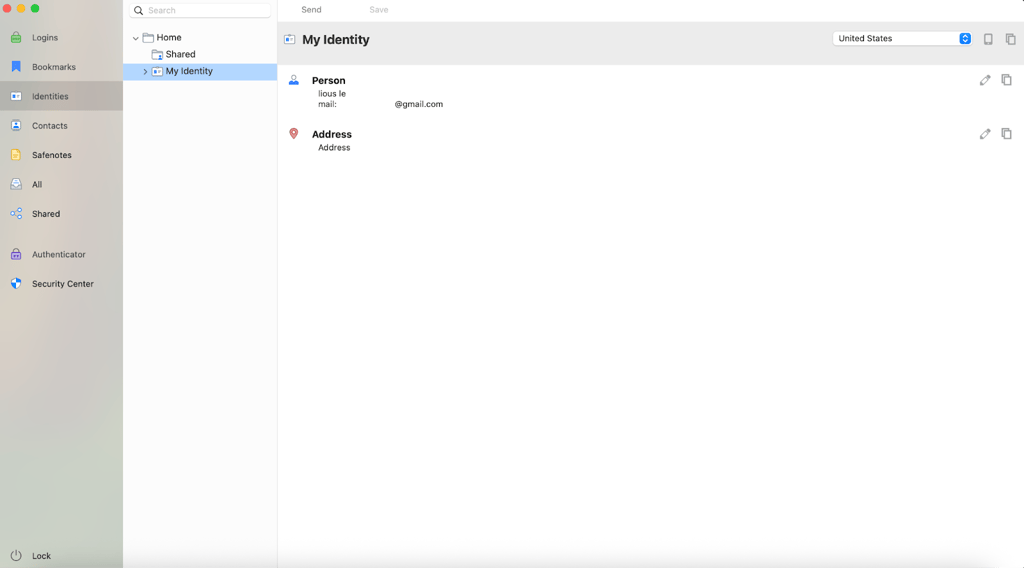
Pricing is where RoboForm really stands out, given its reliable security package. While the free tier works for basics on one device, the Premium plan starts at just $0.99/month, and the Family plan at $1.59/month, covering 5 users. Unfortunately, a 14-day trial is available with Business subscriptions only.
| Feature | Free | Premium | Family |
| Price | $0 |
$0.99/month |
$1.59/month |
| Users | 1 | 1 | 5 |
| Devices | 1 | Unlimited | Unlimited |
| Unlimited passwords | ✅ Yes | ✅ Yes | ✅ Yes |
| Form-filling | ✅ Yes | ✅ Yes | ✅ Yes |
| Security Center | ✅ Yes | ✅ Yes | ✅ Yes |
| Data breach monitor | ✅ Yes | ✅ Yes | ✅ Yes |
| TOTP authenticator | ✅ Yes | ✅ Yes | ✅ Yes |
| Secure sharing | ❌ No | ✅ Yes | ✅ Yes |
| Emergency access | ❌ No | ✅ Yes | ✅ Yes |
For more insights on RoboForm, read our RoboForm review.
Top 5. Proton Pass – secure password manager with Swiss-backed privacy

-
Effective free plan
-
Open-source and audited
-
Metadata encryption for extra security
-
Pricier than competitors
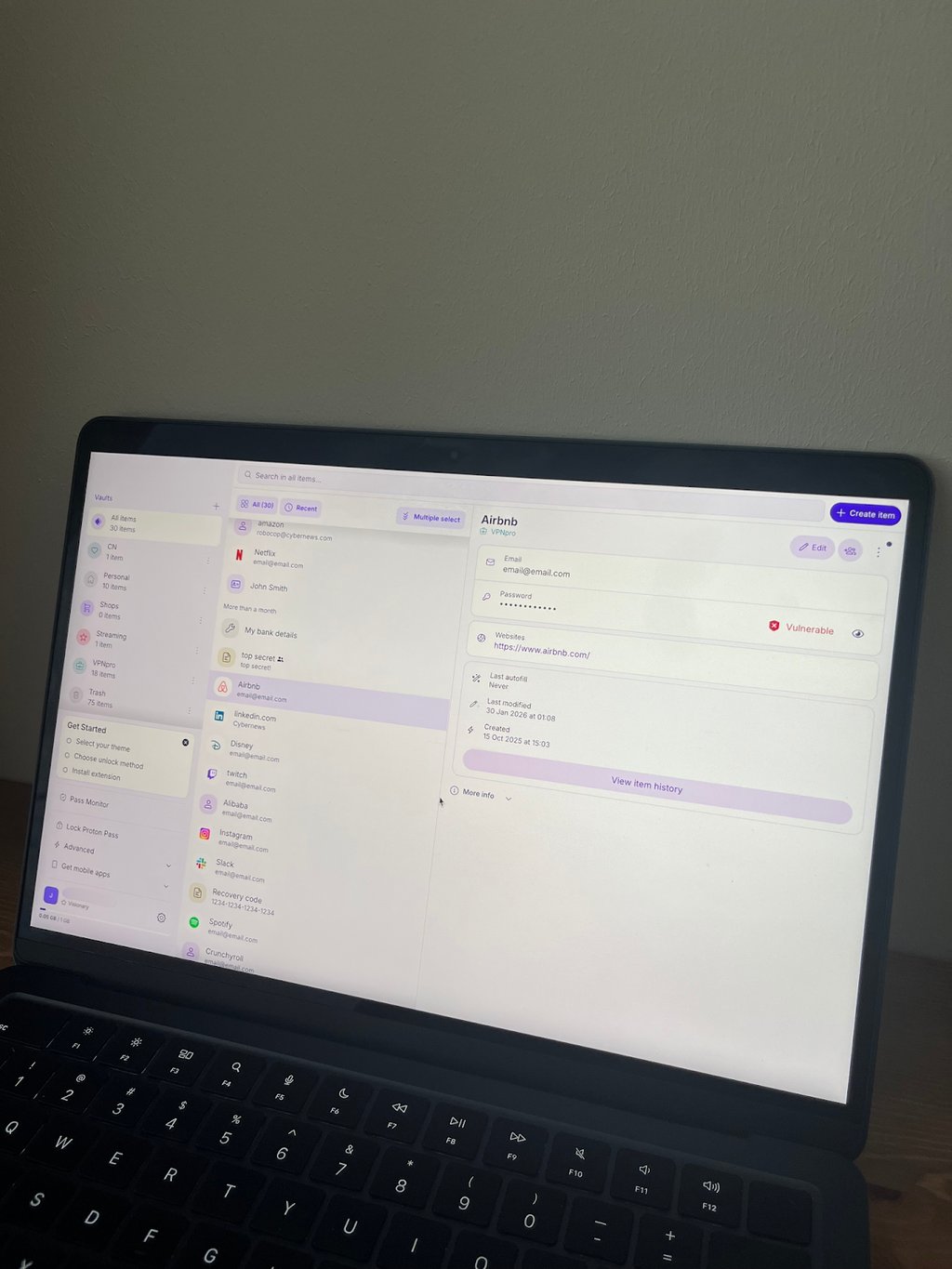
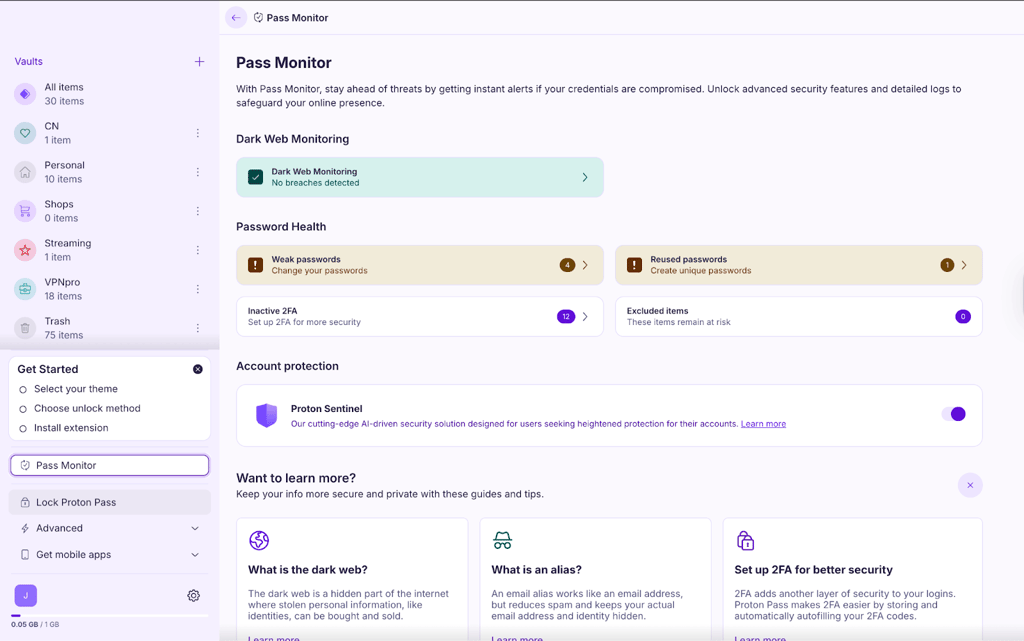
Proton Pass delivers strong privacy as an open-source password manager from the Switzerland-based team behind Proton VPN and Proton Mail. It uses end-to-end AES-256 encryption, even for metadata such as site names and usernames, to keep your data fully protected under zero-knowledge policies. Pass Monitor checks password strength, flags reused or weak logins, and supports dark web scans. Meanwhile, autofill, autosave, and generation work seamlessly across browsers and devices without manual copy-pasting. Hide-my-email aliases are another useful feature that protects your real email address instead of exposing it unnecessarily – effective against spam, phishing attempts, and potential malware.
The free plan offers unlimited passwords and basic sharing (up to 2 vaults), with smooth apps for Windows, macOS, Linux, iOS, Android, and extensions for Chrome, Firefox, Edge, and Safari. Premium plans add integrated 2FA, Proton Sentinel AI threat detection, unlimited sharing, and emergency access.
Proton Pass has proven to be an advanced password manager with a strong privacy stance. Pass Plus starts at $2.49/month (1 user), and Pass Family at $4.99/month (6 users). Proton Unlimited ($9.99/month) adds exceptional value, bundling secure email, VPN, cloud storage, eWallet, and calendar for a complete privacy suite. All paid plans are backed by a 30-day money-back guarantee, making subscriptions completely risk-free.
| Feature | Free | Pass Plus | Pass Family | Proton Unlimited |
| Price | $0/month | $2.49/month
|
$4.99/month
|
$9.99/month |
| Users | 1 | 1 | 6 | 1 |
| Unlimited passwords | ✅ Yes | ✅ Yes | ✅ Yes | ✅ Yes |
| Pass Monitor | ✅ Yes | ✅ Yes | ✅ Yes | ✅ Yes |
| Secure sharing | 2 vaults | 10 others | 10/user | 10 others |
| Hide-my-email aliases | 10 | Unlimited | Unlimited | Unlimited |
| Integrated 2FA | ❌ No | ✅ Yes | ✅ Yes | ✅ Yes |
| Dark Web Monitoring | ❌ No | ✅ Yes | ✅ Yes | ✅ Yes |
| Proton Sentinel | ❌ No | ✅ Yes | ✅ Yes | ✅ Yes |
| Emergency access | ❌ No | ✅ Yes | ✅ Yes | ✅ Yes |
For more insights on Proton Pass, read our Proton Pass review.
Top 6. Norton Password Manager – trusted no-cost option with reliable safety

-
Completely free with unlimited storage
-
Biometrics and advanced 2FA support
-
Auto-changer and strong Safety Dashboard
-
No secure sharing or family plans
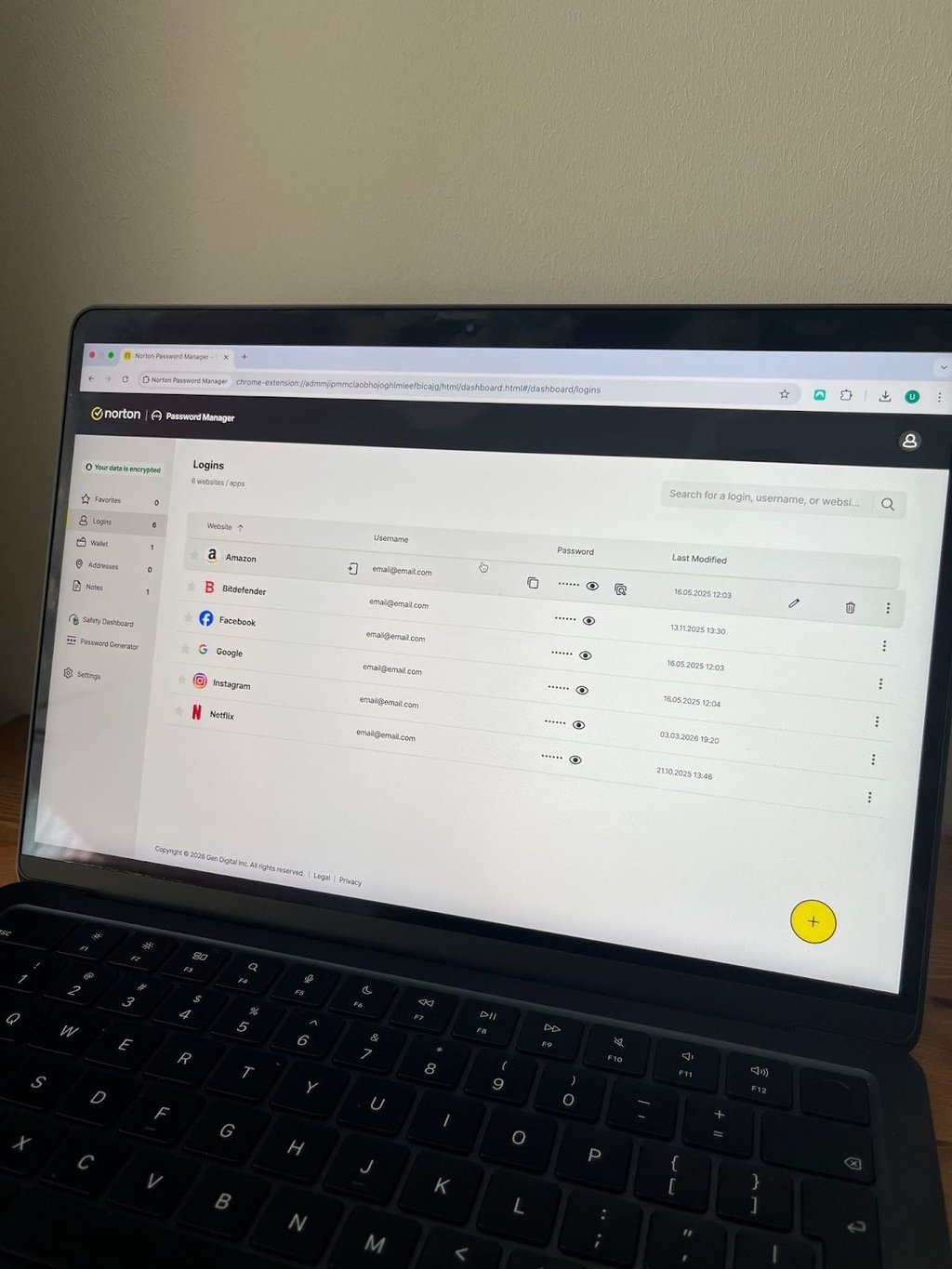
Norton Password Manager provides a solid, completely free password solution in 2026. Bundled with Norton 360 security suites or standalone, using 256-bit AES encryption and zero-knowledge architecture to keep your unlimited passwords secure from leaks or access by Norton itself. The Safety Dashboard audits your vault for weak, reused, or compromised credentials, assigning strength scores and offering one-click changes via an automatic password changer that updates logins directly on sites. It supports advanced 2FA through authenticator apps like Google Authenticator, SMS codes, or YubiKey hardware keys, plus biometric unlocks (Face ID/Touch ID) on mobile for quick access.
Autofill and autosave work reliably across Chrome, Firefox, Safari, and Edge extensions, plus iOS/Android apps, capturing 94% of new logins automatically and filling forms smoothly, though multi-page sites may need manual selection. You can generate passwords up to 64 characters with customizable options (letters, numbers, symbols), and store secure notes, wallet details, or bank info without limits.
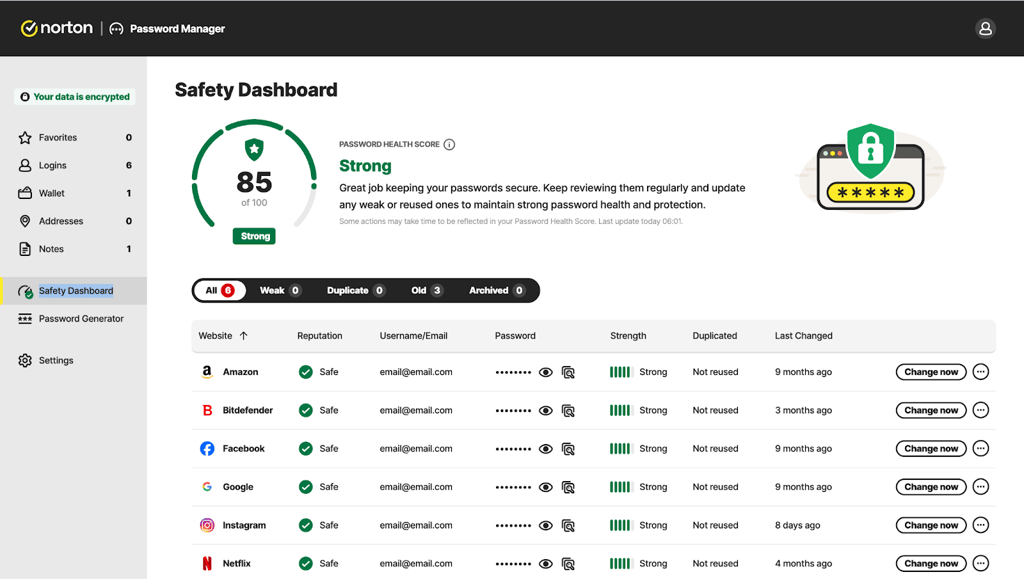
Norton Password Manager is fully free with no paid upgrades or trials needed, and you’re ready to sync across unlimited devices once logged in. There are no password sharing or family plans, but a printable recovery key helps if you forget your master password.
| Feature | Free (Standalone or Norton 360 bundle) |
| Price | $0 |
| Users | 1 |
| Devices | Unlimited |
| Unlimited passwords | ✅ Yes |
| Password generator | ✅ Yes (up to 64 chars) |
| Safety Dashboard | ✅ Yes |
| Autofill/autosave | ✅ Yes |
| Two-factor auth | ✅ Yes (apps, SMS, YubiKey) |
| Biometric login | ✅ Yes (mobile) |
| Auto password changer | ✅ Yes |
| Secure notes/wallet | ✅ Yes |
| Password sharing | ❌ No |
For more insights on Norton Password Manager, read our Norton Password Manager review.
Top 7. Dashlane – premium password manager with built-in VPN

24/7
-
Unbreakable Argon2 encryption
-
Comprehensive security bundle
-
Built-in VPN and TOTP authenticator
-
More expensive
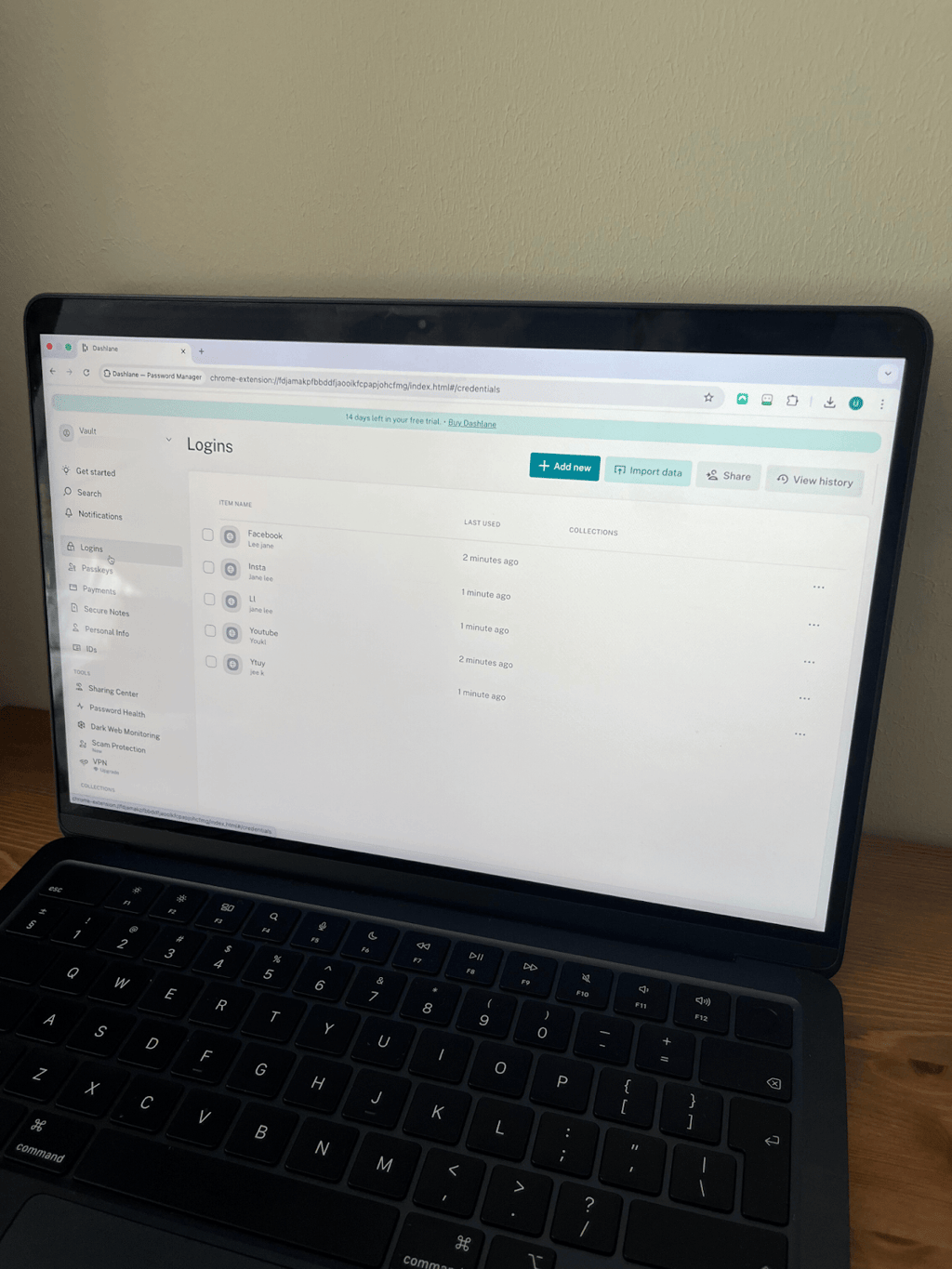
Dashlane offers a top-tier, comprehensive password manager in 2026. Its standouts include family coverage for up to 10 users and extras like real-time, AI-powered phishing alerts, dark web monitoring using its 12-billion-record database, and a built-in TOTP authenticator that generates 2FA codes synced across devices. It uses AES-256 encryption with Argon2 key derivation and zero-knowledge architecture to protect your vault, passkeys, secure notes, and 1GB of encrypted file storage.
Password Health provides an overall score plus details on weak, reused, or compromised credentials, with one-click changes directly from the dashboard. The included Hotspot Shield VPN secures public Wi-Fi, retaining around 84% of speeds, but struggles with consistent streaming unblocks. Apps and extensions deliver seamless autofill for forms, payments, and logins on iOS, Android, Windows, and macOS, with biometric unlocks (Face ID/Touch ID) and offline access.
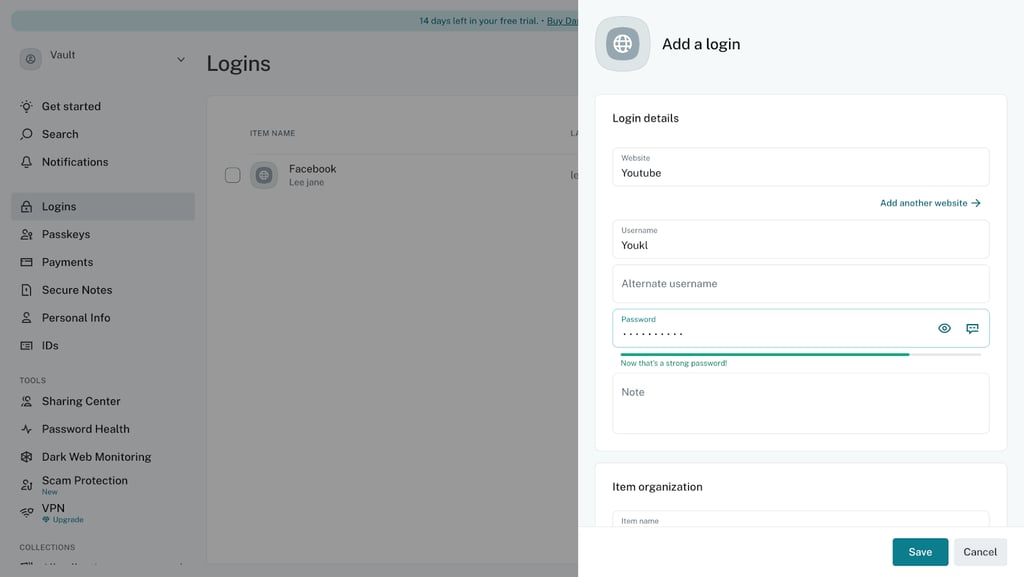
Dashlane has a free plan that limits you to 25 passwords on 1 device. The Advanced plan unlocks unlimited passwords and devices, plus dark web monitoring at $3.49/month, while the Premium plan packs in a VPN and real-time phishing protection on top for $4.07/month. Friends & Family covers 10 accounts at $8.13/month. All plans are backed by the risk-free 30-day money-back guarantee.
| Feature | Free | Advanced | Premium | Friends & Family |
| Price | Free | $3.49/month | $4.07/month |
$8.13/month |
| Passwords | 25 | Unlimited | Unlimited | Unlimited |
| Devices | 1 | Unlimited | Unlimited | Unlimited |
| Users | 1 | 1 | 10 | |
| Password generator | ✅ Yes | ✅ Yes | ✅ Yes | ✅ Yes |
| Two-factor auth | ✅ Yes | ✅ Yes | ✅ Yes | ✅ Yes |
| Form/payment autofill | ✅ Yes | ✅ Yes | ✅ Yes | ✅ Yes |
| Secure notes | ✅ Yes | ✅ Yes | ✅ Yes | ✅ Yes |
| Dark web monitoring | ❌ No | Yes (5 emails) | ✅ Yes | ✅ Yes |
| VPN (Hotspot Shield) | ❌ No | ❌ No | ✅ Yes | ✅ Yes |
| 1GB file storage | ✅ Yes | ✅ Yes | ✅ Yes | ✅ Yes |
For more insights on Dashlane, read our Dashlane review.
Compare the top password managers
| Best Password Manager | Rating | Best for | Free version | Starting price | MFA | Secure sharing | Password health | Compatibility |
| 1. NordPass | 9.7 ⭐⭐⭐⭐⭐ |
Price-to-value | ✅ Yes | $1.38/month | ✅ Yes | ✅ Yes | ✅ Yes (Password Health) | Windows, macOS, Linux, Android, iOS |
| 2. 1Password | 9.4 ⭐⭐⭐⭐⭐ |
Travelers & extras | ❌ No | $3.99/month | ✅ Yes | ✅ Yes | ✅ Yes (Watchtower) | Windows, macOS, Linux, Android, iOS |
| 3. Keeper | 9.2 ⭐⭐⭐⭐⭐ |
Business controls | ✅ Yes | $1.67/month | ✅ Yes | ✅ Yes | ✅ Yes (Security Audit) | Windows, macOS, Linux, Android, iOS |
| 4. RoboForm | 9.3 ⭐⭐⭐⭐⭐ |
Budget users | ✅ Yes | $0.99/month | ✅ Yes | ✅ Yes | ✅ Yes (Security Center) | Windows, macOS, Linux, Android, iOS |
| 5. Proton Pass | 9.1 ⭐⭐⭐⭐⭐ |
Swiss privacy suite | ✅ Yes | $2.49/month | ✅ Yes | ✅ Yes | ✅ Yes (Pass Monitor) | Windows, macOS, Linux, Android, iOS |
| 6. Norton Password Manager | 8.9 ⭐⭐⭐⭐ |
Free unlimited | ✅ Yes | Free | ✅ Yes | ❌ No | ✅ Yes (Safety Dashboard) | Windows, macOS, Android, iOS |
| 7. Dashlane | 9.0 ⭐⭐⭐⭐⭐ |
Built-in VPN | ✅ Yes | $3.49/month | ✅ Yes | ✅ Yes | ✅ Yes (Password Health) | Windows, macOS, Android, iOS, Linux3 |

Which password managers do Redditors prefer?
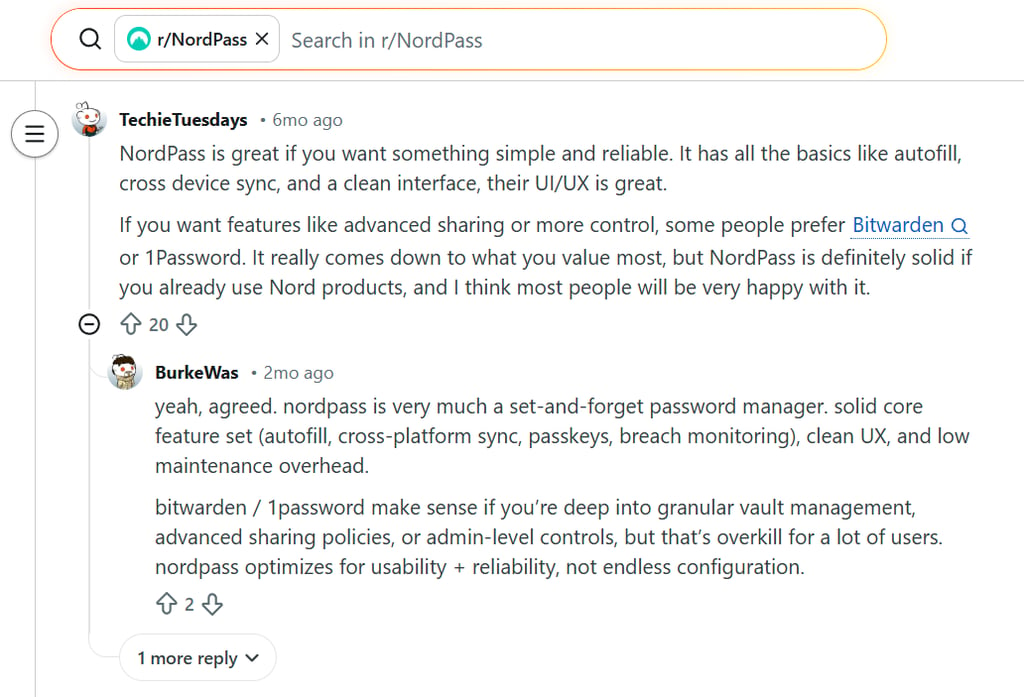
Reddit threads reveal real-user favorites among password managers, with NordPass and 1Password frequently praised for everyday reliability over flashy extras.
Users love NordPass for its clean, intuitive apps that make autofill and biometric login feel effortless across phone and laptop – no more password guesswork or resets. Many highlight smooth setup, quick Chrome imports, and secure sharing for family streaming accounts or work teams, where custom categories keep things organized. A few note occasional mobile app lag or customer support hiccups, but most agree it's a hassle-free daily driver with strong XChaCha20 encryption.
1Password gets constant shoutouts for its beginner-friendly interface that stays consistent on desktop and mobile, plus instant cross-OS syncing. Redditors rave about the Secret Key as a smart extra security layer for new devices, offering peace of mind that hackers can't access vaults without it.
Other mentions include Keeper for its accessible business features, RoboForm for cheap and convenient form-filling, and Proton Pass for privacy bundles, showing that Reddit leans toward usable, secure picks that fit real workflows.
What is a password manager?
A password manager is a secure app that stores your login credentials, payment details, and other sensitive data in one encrypted vault. You unlock it with a single strong master password, then access everything instantly without memorizing dozens of complex logins.
How does a password manager work?
Password managers boost security by encrypting your data end-to-end, turning passwords into unreadable code that only your master password can unlock. Encryption happens locally on your device before anything reaches the cloud, enabling seamless syncing so you can grab autofill logins on your phone, laptop, or tablet without retyping.
What is zero-knowledge architecture?
Zero-knowledge architecture means the provider can't peek into your vault, even if they wanted to. Your data gets fully encrypted on your device first, so servers only store scrambled pieces of unreadable data. In other words, only you hold the decryption key via your master password.
Are all password managers reliable and safe?
Password managers offer strong protection through end-to-end encryption, but no service is breach-proof. For example, the 2022 LastPass incident showed hackers stealing encrypted vaults via a keylogger on an employee's device, though the zero-knowledge design kept actual passwords unreadable.
Even in that case, attackers couldn't decrypt user data without individual master passwords, proving these tools far safer than reusing weak passwords or storing logins in plain text notes. Always use a long, unique master password plus 2FA on your password manager and key accounts to minimize risks.
Choosing the right password manager: a detailed guide
The password manager market overflows with options tailored to budgets, privacy needs, and teams, making it tough to pick the best one without a clear checklist.
Here are key factors to prioritize for a reliable choice:
- Strong encryption. Look for AES-256 (industry gold standard) or XChaCha20 (faster modern alternative) to scramble your data into unbreakable code that protects against brute-force attacks.
- Zero-knowledge architecture. Ensures the provider can't access your vault. The data is encrypted on your device first, so servers only see gibberish without your master password.
- Password generator. Creates long, random, unique passwords instantly (mixing letters, numbers, symbols) so you never reuse weak ones across accounts.
- Password health monitoring. Scans your vault for weak, duplicated, or breached credentials, giving scores and fix suggestions to keep everything secure.
- Reliable autofill. Detects login fields automatically for one-click access to sites and apps – no typing 20-character passwords manually.
- Secure password sharing. Share logins via encrypted links with expiration dates or view-only access, safer than texting credentials.
- Cross-platform sync. Keeps your vault updated instantly across Windows, macOS, Linux, Android, and iOS for effortless use on any device.
- Multiple authentication methods. Pair your master password with 2FA, biometrics (Face ID/Touch ID), or hardware keys for quick, layered vault access without hassle.
Conclusion
Your ideal password manager depends on priorities like budget, privacy, or family sharing, but all seven top picks deliver proven security and smooth daily use. That said, NordPass edges out as my top overall recommendation after hands-on testing.
I personally rely on NordPass for its independent audits and zero-knowledge encryption that keeps my vault private, plus practical perks like Password Health checks, one-click autofill, and instant cross-device sync. What seals it is secure sharing with expiration options and real-time data breach scanning, turning password management into a smooth, worry-free habit.
FAQ
Are password managers safe to use in 2026?
Yes, password managers are far safer than reusing weak passwords or browser storage. End-to-end encryption and zero-knowledge design mean only your master password unlocks the data. Even if servers get hit, thieves see useless scrambled code.
Which is the most secure password manager?
Password managers like NordPass, 1Password, and Keeper lead in security thanks to strong encryption, zero-knowledge proofs, independent audits, and extras like breach monitoring. These providers have a long-lasting security reputation and prioritize verified protection over gimmicks.
Do cybersecurity experts recommend password managers?
Yes, experts from cybersecurity firms and outlets strongly recommend password managers for everyone in 2026. At VPNpro, we also emphasize the importance of using a password manager for stronger encryption, autofill convenience, and breach alerts that beat manual password habits.
What’s the best free password manager in 2026?
NordPass Free and Norton Password Manager top the list for free unlimited passwords, solid autofill, and core security like AES-256 encryption. These are ideal if you want no-cost protection without limits on storage or devices.
Do password managers work on mobile apps?
Yes, all top options offer iOS and Android apps with straightforward autofill, biometric unlocks, and cloud sync. In this way, your passwords follow you across phone, tablet, laptop, and browser extensions automatically.
Has any top password manager ever been hacked?
As of June 2026, none of our recommended picks, like NordPass, 1Password, Keeper, RoboForm, or Proton Pass, have suffered a breach exposing user passwords. They stick to zero-knowledge encryption and regular audits to keep your vault locked tight from hackers.


