How to access ChatGPT 5.2 from anywhere 2026

Short summary: Access ChatGPT 5.2 from anywhere using a reliable VPN. Connect to GPT-5.2 available country and start using the most popular LLM from wherever you are.
OpenAI just launched a new update to ChatGPT, known as ChatGPT-5.2. The latest version does not introduce any new flashy features, but it offers significantly faster reasoning, improved multimodal and contextual efficiency, and overall enhanced core functionality. However, some users may not be able to access the new ChatGPT-5.2 version due to local restrictions.
Luckily, anyone can access ChatGPT-5.2 from anywhere by using a reliable VPN. Simply connect to a VPN server in a location where ChatGPT-5.2 is available, such as the US, and you will be able to access the service as if you were in that country. Continue reading this article for tips on using a VPN to access ChatGPT-5.2 from anywhere, as well as recommendations for the best VPNs for this purpose.
🏷️ LIMITED OFFER: NordVPN deal! Get 76% OFF NordVPN + 3 months FREE 🏷️
How to access ChatGPT 5.2 from anywhere with a VPN?
- Choose a robust ChatGPT-5.2 VPN. I recommend NordVPN, now 76% off, as it easily unblocks it from anywhere.
- Download the VPN app and install it.
- Launch the VPN and connect to a server in a country where ChatGPT-5.2 is available, like the US or the UK.
- Launch the ChatGPT browser version and access its new 5.2 model from restricted locations!
Why is ChatGPT 5.2 not available in some countries?
Although the newest version of ChatGPT, 5.2, was launched in December 2025, not all users have access to it or any other OpenAI products. This is largely due to government censorship, platform-level blocks by app stores, ISP or workplace restrictions, and strict data privacy regulations in some countries.
Currently, ChatGPT, as well as any other OpenAI products, are banned in:
- North Korea
- Iran
- Russia
- Syria
- China
Additionally, countries like the EU and Canada with strong privacy laws may suspend access to ChatGPT-5.2 until it proves compliance. Lastly, issues like payment barriers or international sanctions can also prevent users from subscribing to the latest ChatGPT version. However, no matter which of these reasons is stopping you from accessing ChatGPT in your country, using a secure VPN to bypass them is the easiest and most secure way to unlock GPT-5.2 from restricted locations.
Unlock ChatGPT-5.2 in your location with NordVPN
How to access ChatGPT 5.2 from anywhere: a detailed guide
The most straightforward way to access ChatGPT-5.2 from anywhere is by using a VPN. A VPN will change your location to a country where it is available, allowing you to access ChatGPT-5.2 as if you were actually located there. Additionally, a VPN encrypts your traffic and masks your IP address, making your browsing both safer and more private.
Here’s how to access ChatGPT-5.2 from anywhere with a VPN:
Step 1. Choose a reliable VPN provider
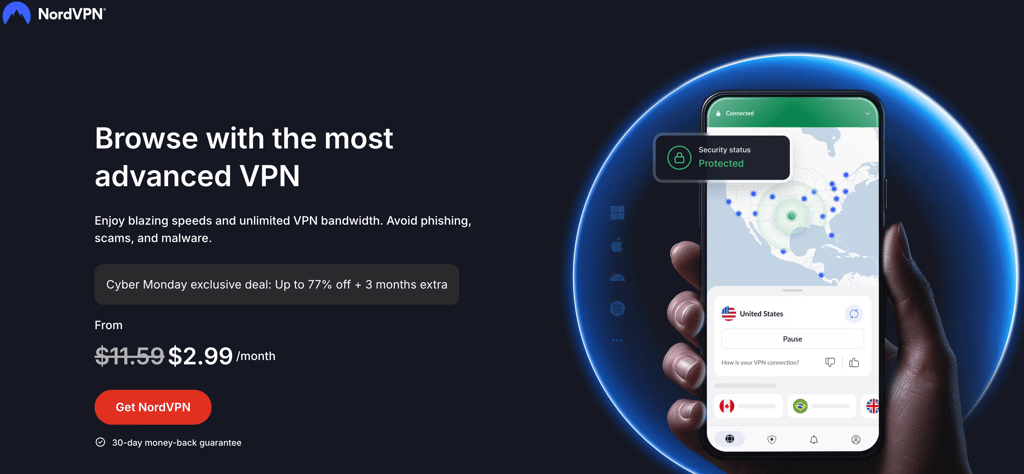
Choosing the right VPN to access GPT-5.2 from restricted locations is very important. First, look for a service with lots of servers in countries where OpenAI products are available, such as the US or the UK. Additionally, take notice if your chosen service has a strict no-logs policy to ensure data privacy and offers fast connection speeds for smooth use. Alternatively, you can rely on my recommendation and choose NordVPN, now 76% off, as your go-to ChatGPT-5.2 VPN, as it comes with a vast global fleet, the fastest connection speeds, and the latest privacy features.
Step 2. Download and install the VPN on your device
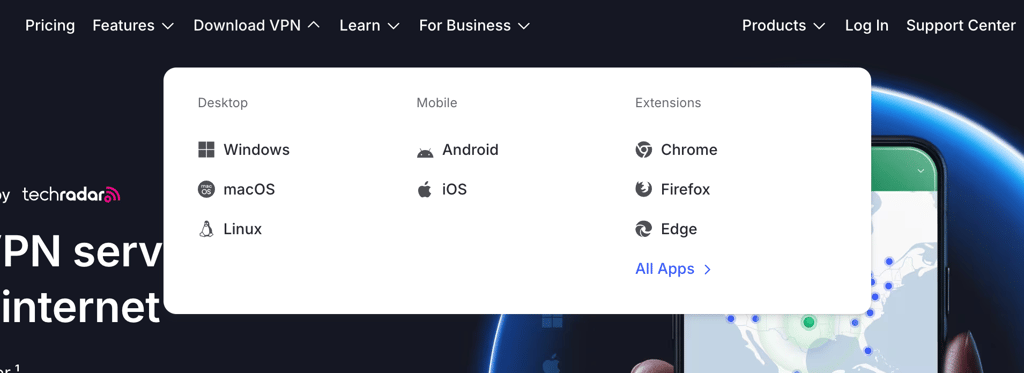
After selecting your VPN provider, download its app directly from the official website, the Apple App Store, or Google Play Store, depending on your device. Most VPNs offer apps designed for different operating systems and devices, so choose the right one for your setup. Once you have the app, install it following the on-screen instructions.
Step 3. Connect to a server in a country where ChatGPT-5.2 is available
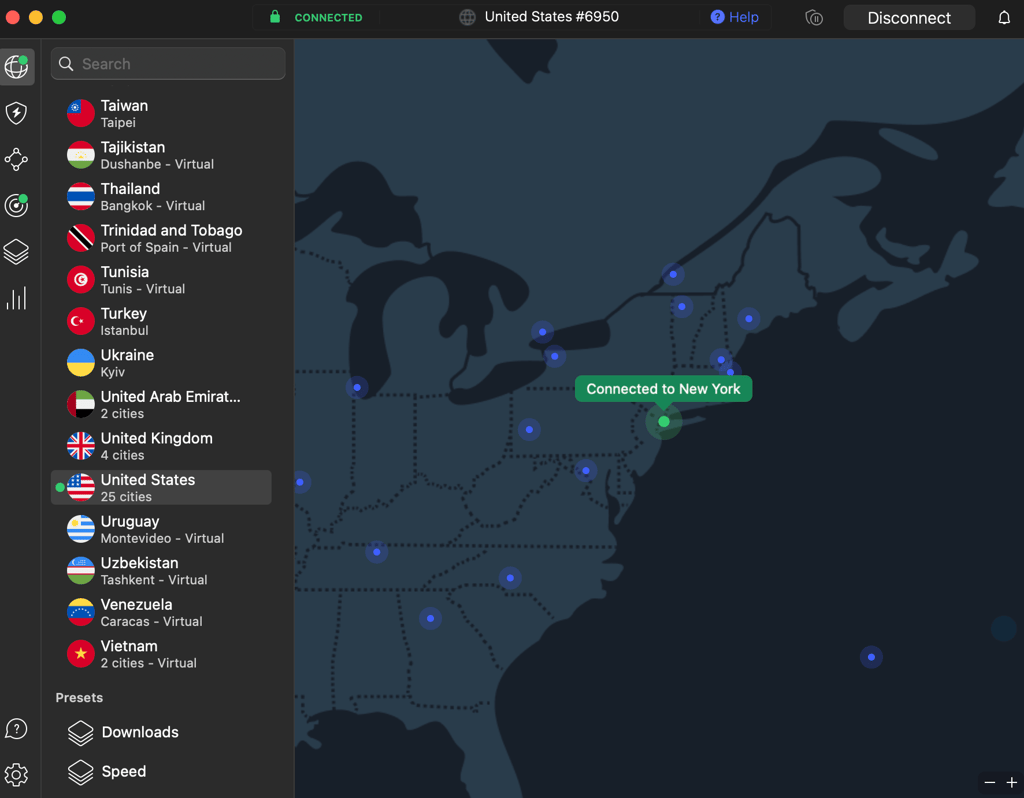
After you’ve installed your VPN app and logged in to your account, connect to a server in a country where ChatGPT-5.2 is available, for instance, the US or the UK. Once the connection is established, your virtual location will correspond to that of the server’s, making it seem as though you're accessing OpenAI directly from there. I used one of NordVPN’s US servers, which allowed me to access ChatGPT-5.2.
Step 4. Open ChatGPT and start using GPT‑5.2
With your VPN connected, head to the ChatGPT browser version and log in. Now you should have access to all new ChatGPT-5.2 features. However, if you still see a location-based error, simply try another VPN server in the same location, and it should solve the issue.
Use ChatGPT-5.2 in restricted locations with NordVPN
Best ChatGPT 5.2 VPN
To find the best VPNs to access ChatGPT-5.2 from a restricted location, I tested 17 providers. I looked for VPNs with big global server fleets for an easy IP address change, strict no-logs policies to ensure data privacy, robust security features, and fast connection speeds for smooth ChatGPT-5.2 use. Ultimately, I found the top 3 ChatGPT-5.2 VPNs:
- NordVPN – the best overall ChatGPT-5.2 VPN with thousands of secure servers in ChatGPT-5.2 available countries, the fastest connection speeds in the industry, and the latest privacy and security features.
- Surfshark – the most affordable VPN to access ChatGPT-5.2 from restricted locations with unlimited device connections. Additionally, Surfshark is very easy to use and offers consistently high connection speeds.
- Proton VPN – privacy-oriented ChatGPT-5.2 VPN with a free version to access the service from restricted locations. Plus, Proton VPN offers robust security features to ensure your anonymity online.
Although all three VPNs are excellent for accessing ChatGPT-5.2 from restricted countries, NordVPN outperformed them all. You can get the service for only $3.09/month or try it first during the NordVPN 3-day free trial available for Android devices. If you decide to subscribe, your purchase will be protected with a 30-day money-back guarantee.
Unlock ChatGPT-5.2 now with NordVPN


Since 2018, VPNpro has delivered unbiased, expert-backed insights through in-house research and thorough VPN testing. Our team ensures every review is fact-checked and reliable. Learn how we maintain these high standards in our testing methods.
What are the differences between ChatGPT-5 and ChatGPT-5.2?
ChatGPT-5.2 promises to improve its core features, such as reasoning and contextual handling. Meaning, the latest version will not offer new features, but rather aim to improve the key ones for even better efficiency and usability.
Here’s a comparison between ChatGPT-5 and ChatGPT-5.2:
| Feature | ChatGPT-5 | ChatGPT-5.2 |
| Reasoning and reliability | Significantly improved over earlier generations: fewer hallucinations, more accurate on complex queries, better reasoning — especially in coding, scientific, and multidisciplinary tasks. | Reportedly ~18% faster reasoning speed compared with prior models. |
| Multimodal and context handling | Supports text + images (and perhaps limited other modalities depending on environment), handles long contexts, capable of tool chaining, code reasoning, etc. | Context window up to 32,768 tokens, and improved multimodal efficiency. |
| Speed and efficiency | Already optimized vs older models: more efficient reasoning, fewer tokens/output on many tasks, better tool-use efficiency. | Designed to further reduce latency and increase throughput. |
| Stability and reliability for complex tasks | Strong: good at coding tasks, reasoning, step-by-step thought, multimodal reasoning, including in medical/biomedical domains (per early benchmarks) | Improved reliability under load or tougher tasks, though public benchmark data is not yet available (as of now). |
| Access and availability | Already widely deployed: default model in many contexts (Chat-UI, API, etc.), with various “sizes” (standard, mini, nano) for flexibility. | Available for all tiers. |
| Best for: | Broad range: coding, complex reasoning, multimodal tasks, creative work, tool-use, professional, and academic use. | Meant to excel especially where speed, reasoning efficiency, and heavy context/multimodal use matter, potentially better for heavy-duty workflows, complex code/analysis tasks, and long context interactions. |
Overall, ChatGPT-5.2 is a more powerful, more reliable, and faster version compared to ChatGPT-5. So, if you were waiting for an LLM that’s truly capable of dealing with heavy workflow and complex tasks, then accessing ChatGPT-5.2 with a VPN from a restricted country would absolutely make it worthwhile.
Bypass ChatGPT-5.2 restrictions with NordVPN
Conclusion
ChatGPT just launched its newest version, 5.2, with much-improved core features. However, due to various restrictions, it is not available in some countries, such as Russia, Syria, Iran, and others. Luckily, you can access ChatGPT-5.2 from a restricted country by using a VPN to change your virtual location.
After testing several providers, I found that NordVPN is the best VPN to access ChatGPT-5.2 from anywhere. The service offers a massive number of secure servers in countries where ChatGPT-5.2 is currently available, ensures your privacy with the latest VPN features, and gives a smooth usability experience with the fastest connection speeds in the industry.

![Surfshark weekly deals logo [IN USE]](https://media.vpnpro.com/surfshark-weekly-deals.svg)
![Proton VPN winner logo [IN USE]](https://media.vpnpro.com/2025/05/protonvpn-winner.png)
FAQ
Is it legal to use a VPN to access ChatGPT-5.2?
Yes, in most countries, using a VPN is perfectly legal to encrypt your traffic, mask your IP address, and access ChatGPT-5.2. However, if you’re unsure about the VPN's legality status in your country, you can always refer to our guide. Lastly, in any case, make sure to choose only a reliable VPN, such as NordVPN, that will keep your data private no matter what.
Can I use ChatGPT-5.2 with a free VPN?
Technically, you can use a free VPN with ChatGPT-5.2, but I do not recommend that. Free VPNs are often unreliable in terms of available servers, privacy and security features, and connection speeds, meaning your access to ChatGPT-5.2 may be unsecured and unreliable while using such services. Instead, I recommend choosing a premium VPN, such as NordVPN or Surfshark, and using it for free during the free trials and money-back guarantee periods.
What’s the difference between ChatGPT-5 and ChatGPT-5.2?
ChatGPT-5.2 offers improved core features, such as reliability, reasoning, multimodal and contextual efficiency, and more, making it a better choice for complex tasks. In contrast, ChatGPT-5 is slower, less reliable, and not as capable of dealing with heavy workflow. If you’d like to access the latest ChatGPT version from a restricted country, use a VPN, like NordVPN, to change your virtual location to a country where it is freely available.
Which ChatGPT subscription do I need for GPT‑5.2?
To access GPT‑5.2, you need a subscription to ChatGPT Plus or a higher tier. Currently, ChatGPT Plus costs $20/month, and the highest tier plan, Pro, is priced at $200/month. However, the Plus plan is enough to access ChatGPT-5.2, and although it is unconfirmed as of now, it is likely that the newest version will also be available for the Free tier as well.
Is GPT‑5.2 better than ChatGPT-5?
Yes, ChatGPT-5.2 is better than ChatGPT-5. For example, ChatGPT-5.2 has 18% faster reasoning, offers a context window of up to 32,768 tokens, and is overall more reliable and capable than ChatGPT-5. To access ChatGPT-5.2 in a restricted location, you can use a VPN, like NordVPN, to connect to a server in a country where it is available and bypass all restrictions this way.


